.svg)


Terraform gives you three built-in values for finding your way around the filesystem: path.module, path.root, and path.cwd. They look interchangeable right up until a module gets called from somewhere unexpected, a pipeline runs from a different directory than your laptop does, or someone reaches for the -chdir flag for the first time. Pick the wrong one and a module that worked perfectly on your machine breaks the moment someone else calls it.
This guide covers what each value actually resolves to, where they diverge, and the specific mistakes that break portability the moment a module gets reused, including a couple of gotchas that HashiCorp's own reference docs flag more directly than most third-party writeups do.
What are Terraform path values?
path.module, path.root, and path.cwd belong to a small set of named values Terraform calls filesystem and workspace info. You reference them directly in any expression, the same way you'd reference a resource attribute or an input variable. No function call is required. You just write path.module (or path.root, or path.cwd) wherever you need a directory path.
In most Terraform code, you want path.module. It's the only one of the three considered safe inside a reusable module, because it's the only one anchored to the module's own location rather than to how or where Terraform happens to be invoked.
path.module in practice
Say a child module ships its own template file next to its configuration:
Inside modules/web_tier/main.tf:
No matter where web_tier gets called from (the root module, a nested wrapper module, a completely separate project that vendors it in) path.module still resolves to modules/web_tier, so templatefile() finds nginx.conf.tftpl sitting right next to it. Once you have that path in hand, functions like dirname(), basename(), and fileset() cover most of what you'd want to do with it next.
HashiCorp's own reference docs are more cautious here than most blog coverage: path.module is fine for reads, but avoid it for writes. Consider a module called with for_each:
Inside web_tier, something like this looks safe because each.key differs per instance:
But path.module doesn't vary by instance. Every invocation of a local module shares the same source directory on disk, so every instance in that for_each is writing the exact same file at the exact same time. That's the race condition HashiCorp's docs warn about directly, and it tends not to show up until two or more instances of the module are actually running concurrently. If you need a reminder on how count and for_each behave on module blocks, our Terraform Modules guide covers the basics.
path.root in practice
path.root always points to the directory of the root module, the configuration Terraform was pointed at (or -chdir'd into) for this run, regardless of which module the expression lives in:
This resolves the same way whether the expression sits in the root module or three levels deep in a child module. path.root doesn't move. If you're still deciding what belongs in the root configuration versus a child module in the first place, our Terraform Files and Folder Structure guide covers that layout question directly.
HashiCorp's guidance goes a step further than most coverage of path.root: aside from path.module, they recommend keeping these filesystem and workspace values out of any module meant to be called by someone else, and reserving them for the root module only. The same caution applies to terraform.workspace. A shared module that bakes in an assumption about its caller's root directory, or its workspace name, stops being portable the same way a hardcoded absolute path would:
The fix is the same one you'd reach for with any hardcoded value in a shared module: turn it into an input variable and let the calling configuration decide, rather than letting the module infer it from context that changes depending on who's calling it.
path.cwd and the -chdir flag
path.cwd is the one value of the three that has nothing to do with your configuration's structure. It's simply the directory your shell was in when you ran the terraform command, captured before any -chdir argument is applied:
Given outputs like these inside environments/prod:
path.root resolves to /home/dev/repo/environments/prod, following -chdir the way path.module would too. path.cwd still resolves to /home/dev/repo, the directory you were actually standing in when you typed the command.
That gap is exactly why HashiCorp recommends avoiding path.cwd where path.root or path.module would do the job. path.cwd encodes where the terminal happened to be, which a CI runner, a teammate's machine, or a wrapper script one directory removed from yours won't reproduce. If a resource argument depends on it, moving the invocation changes that value even though nothing in the actual configuration changed, and Terraform reads that as a diff, not a no-op.
Does OpenTofu handle these the same way?
Yes. OpenTofu's own reference documentation defines path.module, path.root, and path.cwd in nearly identical language to Terraform's, down to the same recommendation to prefer path.root or path.module over path.cwd. If you're running a mixed Terraform and OpenTofu estate, or migrating between the two, path values aren't something you need to re-verify per binary. The behavior didn't diverge when OpenTofu forked.
Managing Terraform paths with env zero
Two mechanics in env zero make these path values worth getting right rather than something you patch around after a deployment fails.
- The Working Directory field sets your effective root module. If your Terraform configuration lives in a subdirectory of the repository, you point env zero at it from the Working Directory field under a template's Advanced settings. That subdirectory becomes the root module for the deployment, so
path.root(and anypath.modulereference at that top level) resolves relative to it, not to the repository root. A module that assumespath.rootmeans "the repo root" rather than "wherever this deployment's working directory points" runs into that assumption the first time the field gets set or changed. - Remote runners don't persist a working copy between deployments. env zero's Ad Hoc Tasks pull a fresh git clone for each run, and standard deployments work the same way. Terraform code that leans on
path.cwdto reach something outside the checked-out configuration, an absolute path baked in during a prior local run, a file a teammate left in a directory above the repo, has nothing to find once that clone starts fresh.path.moduleandpath.rootboth resolve from what's actually inside the checkout, which is one more reason they're the values worth defaulting to.
Best practices when using Terraform path values
- Default to
path.moduleinside anything meant to be called more than once. - Reserve
path.rootfor genuinely root-level concerns (shared config, an environments/ folder) and keep it out of modules meant for reuse. - Treat
path.cwdas an escape hatch, not a default. If you're reaching for it, check whetherpath.rootwould do the same job more portably first. - Avoid writing files into
path.moduleorpath.rootfrom provisioners without a clear ownership story. Multiple instances of the same module can share the exact samepath.module. - If a shared module needs a unique name or prefix, take it as an input variable. Don't derive it from
terraform.workspaceorpath.rootinside the module itself. - Test path-dependent code from more than one working directory, and with
-chdirif you use it, before calling it done. A single successful local run doesn't confirm portability.
Frequently asked questions
Q. What's the difference between path.module, path.root, and path.cwd?
path.module is the directory of the module where the expression is written, and it changes depending on which module you're in. path.root is the directory of the root module for the whole configuration, and it stays the same no matter which module references it. path.cwd is the directory you were in when you ran the terraform command, before any -chdir flag, and it has nothing to do with your configuration's structure at all.
Q. Is path.module an absolute path or a relative path?
Absolute. All three path values, path.module, path.root, and path.cwd, resolve to absolute filesystem paths.
Q. Does path.root change inside a child module?
No. path.root always points to the root module's directory, even when it's referenced from several levels deep inside a child module.
Q. Do OpenTofu and Terraform handle path.module, path.root, and path.cwd the same way?
Yes. OpenTofu's reference documentation defines all three with the same behavior and the same guidance to prefer path.root or path.module over path.cwd. This is not something that diverged when OpenTofu forked from Terraform.
Q. Does path.module change across instances of a for_each or count module call?
No, and this is a common source of surprise. Multiple instances of the same local module call share the same source directory, so they share the same path.module value. That's fine for reads, but HashiCorp's own docs specifically warn against writing to it in that situation, since concurrent instances can end up racing to write the same path at the same time.
Q. Why is path.cwd considered risky in CI/CD or remote runs?
Because it depends on the directory you happened to invoke Terraform from, not on your configuration's structure. A CI runner, a teammate's machine, or an orchestration platform that re-clones your repository for every run can each have a different working directory than your laptop does, which makes anything derived from path.cwd unreliable outside one consistent environment.
Key points
path.module, path.root, and path.cwd solve the same underlying problem, finding a file reliably regardless of how or where Terraform runs, but only two of them are safe defaults. path.module keeps a module's own files self-contained and portable. path.root is the right choice for genuinely root-level concerns, kept out of shared modules. path.cwd is worth reaching for only when you specifically mean the invocation directory, and even then it's worth testing from more than one working directory before you trust it.

Related Content
Terraform gives you three built-in values for finding your way around the filesystem: path.module, path.root, and path.cwd. They look interchangeable right up until a module gets called from somewhere unexpected, a pipeline runs from a different directory than your laptop does, or someone reaches for the -chdir flag for the first time. Pick the wrong one and a module that worked perfectly on your machine breaks the moment someone else calls it.
This guide covers what each value actually resolves to, where they diverge, and the specific mistakes that break portability the moment a module gets reused, including a couple of gotchas that HashiCorp's own reference docs flag more directly than most third-party writeups do.
What are Terraform path values?
path.module, path.root, and path.cwd belong to a small set of named values Terraform calls filesystem and workspace info. You reference them directly in any expression, the same way you'd reference a resource attribute or an input variable. No function call is required. You just write path.module (or path.root, or path.cwd) wherever you need a directory path.
In most Terraform code, you want path.module. It's the only one of the three considered safe inside a reusable module, because it's the only one anchored to the module's own location rather than to how or where Terraform happens to be invoked.
path.module in practice
Say a child module ships its own template file next to its configuration:
Inside modules/web_tier/main.tf:
No matter where web_tier gets called from (the root module, a nested wrapper module, a completely separate project that vendors it in) path.module still resolves to modules/web_tier, so templatefile() finds nginx.conf.tftpl sitting right next to it. Once you have that path in hand, functions like dirname(), basename(), and fileset() cover most of what you'd want to do with it next.
HashiCorp's own reference docs are more cautious here than most blog coverage: path.module is fine for reads, but avoid it for writes. Consider a module called with for_each:
Inside web_tier, something like this looks safe because each.key differs per instance:
But path.module doesn't vary by instance. Every invocation of a local module shares the same source directory on disk, so every instance in that for_each is writing the exact same file at the exact same time. That's the race condition HashiCorp's docs warn about directly, and it tends not to show up until two or more instances of the module are actually running concurrently. If you need a reminder on how count and for_each behave on module blocks, our Terraform Modules guide covers the basics.
path.root in practice
path.root always points to the directory of the root module, the configuration Terraform was pointed at (or -chdir'd into) for this run, regardless of which module the expression lives in:
This resolves the same way whether the expression sits in the root module or three levels deep in a child module. path.root doesn't move. If you're still deciding what belongs in the root configuration versus a child module in the first place, our Terraform Files and Folder Structure guide covers that layout question directly.
HashiCorp's guidance goes a step further than most coverage of path.root: aside from path.module, they recommend keeping these filesystem and workspace values out of any module meant to be called by someone else, and reserving them for the root module only. The same caution applies to terraform.workspace. A shared module that bakes in an assumption about its caller's root directory, or its workspace name, stops being portable the same way a hardcoded absolute path would:
The fix is the same one you'd reach for with any hardcoded value in a shared module: turn it into an input variable and let the calling configuration decide, rather than letting the module infer it from context that changes depending on who's calling it.
path.cwd and the -chdir flag
path.cwd is the one value of the three that has nothing to do with your configuration's structure. It's simply the directory your shell was in when you ran the terraform command, captured before any -chdir argument is applied:
Given outputs like these inside environments/prod:
path.root resolves to /home/dev/repo/environments/prod, following -chdir the way path.module would too. path.cwd still resolves to /home/dev/repo, the directory you were actually standing in when you typed the command.
That gap is exactly why HashiCorp recommends avoiding path.cwd where path.root or path.module would do the job. path.cwd encodes where the terminal happened to be, which a CI runner, a teammate's machine, or a wrapper script one directory removed from yours won't reproduce. If a resource argument depends on it, moving the invocation changes that value even though nothing in the actual configuration changed, and Terraform reads that as a diff, not a no-op.
Does OpenTofu handle these the same way?
Yes. OpenTofu's own reference documentation defines path.module, path.root, and path.cwd in nearly identical language to Terraform's, down to the same recommendation to prefer path.root or path.module over path.cwd. If you're running a mixed Terraform and OpenTofu estate, or migrating between the two, path values aren't something you need to re-verify per binary. The behavior didn't diverge when OpenTofu forked.
Managing Terraform paths with env zero
Two mechanics in env zero make these path values worth getting right rather than something you patch around after a deployment fails.
- The Working Directory field sets your effective root module. If your Terraform configuration lives in a subdirectory of the repository, you point env zero at it from the Working Directory field under a template's Advanced settings. That subdirectory becomes the root module for the deployment, so
path.root(and anypath.modulereference at that top level) resolves relative to it, not to the repository root. A module that assumespath.rootmeans "the repo root" rather than "wherever this deployment's working directory points" runs into that assumption the first time the field gets set or changed. - Remote runners don't persist a working copy between deployments. env zero's Ad Hoc Tasks pull a fresh git clone for each run, and standard deployments work the same way. Terraform code that leans on
path.cwdto reach something outside the checked-out configuration, an absolute path baked in during a prior local run, a file a teammate left in a directory above the repo, has nothing to find once that clone starts fresh.path.moduleandpath.rootboth resolve from what's actually inside the checkout, which is one more reason they're the values worth defaulting to.
Best practices when using Terraform path values
- Default to
path.moduleinside anything meant to be called more than once. - Reserve
path.rootfor genuinely root-level concerns (shared config, an environments/ folder) and keep it out of modules meant for reuse. - Treat
path.cwdas an escape hatch, not a default. If you're reaching for it, check whetherpath.rootwould do the same job more portably first. - Avoid writing files into
path.moduleorpath.rootfrom provisioners without a clear ownership story. Multiple instances of the same module can share the exact samepath.module. - If a shared module needs a unique name or prefix, take it as an input variable. Don't derive it from
terraform.workspaceorpath.rootinside the module itself. - Test path-dependent code from more than one working directory, and with
-chdirif you use it, before calling it done. A single successful local run doesn't confirm portability.
Frequently asked questions
Q. What's the difference between path.module, path.root, and path.cwd?
path.module is the directory of the module where the expression is written, and it changes depending on which module you're in. path.root is the directory of the root module for the whole configuration, and it stays the same no matter which module references it. path.cwd is the directory you were in when you ran the terraform command, before any -chdir flag, and it has nothing to do with your configuration's structure at all.
Q. Is path.module an absolute path or a relative path?
Absolute. All three path values, path.module, path.root, and path.cwd, resolve to absolute filesystem paths.
Q. Does path.root change inside a child module?
No. path.root always points to the root module's directory, even when it's referenced from several levels deep inside a child module.
Q. Do OpenTofu and Terraform handle path.module, path.root, and path.cwd the same way?
Yes. OpenTofu's reference documentation defines all three with the same behavior and the same guidance to prefer path.root or path.module over path.cwd. This is not something that diverged when OpenTofu forked from Terraform.
Q. Does path.module change across instances of a for_each or count module call?
No, and this is a common source of surprise. Multiple instances of the same local module call share the same source directory, so they share the same path.module value. That's fine for reads, but HashiCorp's own docs specifically warn against writing to it in that situation, since concurrent instances can end up racing to write the same path at the same time.
Q. Why is path.cwd considered risky in CI/CD or remote runs?
Because it depends on the directory you happened to invoke Terraform from, not on your configuration's structure. A CI runner, a teammate's machine, or an orchestration platform that re-clones your repository for every run can each have a different working directory than your laptop does, which makes anything derived from path.cwd unreliable outside one consistent environment.
Key points
path.module, path.root, and path.cwd solve the same underlying problem, finding a file reliably regardless of how or where Terraform runs, but only two of them are safe defaults. path.module keeps a module's own files self-contained and portable. path.root is the right choice for genuinely root-level concerns, kept out of shared modules. path.cwd is worth reaching for only when you specifically mean the invocation directory, and even then it's worth testing from more than one working directory before you trust it.
Terraform Path Values: path.module, path.root, and path.cwd Explained


Terraform gives you two ways to express the same infrastructure. You can declare resources directly, or you can wrap them in a module and call that module with inputs. Both produce identical cloud objects. The choice is not about capability, it is about where you want the complexity to live and who you want to be responsible for it.
Most teams get this decision wrong in one of two directions. Some modularize on day one and end up with a registry full of thin wrappers that add a layer of indirection and little else. Others never modularize at all, and end up with the same forty lines of bucket configuration copy-pasted across nine environments, each quietly diverging from the others in ways nobody has time to reconcile.
This guide covers the distinction that actually matters in practice, the signals that tell you a pattern is ready to be promoted into a module, and the mechanics of promoting it without Terraform tearing down your infrastructure on the way. For module anatomy, input and output design, and composition patterns, see our Terraform modules guide, which this article treats as background rather than repeating.
Disclaimer
Everything discussed here works the same way in OpenTofu, the open-source Terraform alternative. To keep things familiar for DevOps engineers, we use Terraform terminology as a catch-all throughout.
The distinction that actually matters
The textbook answer is that a resource represents one object managed by a provider, while a module is a container for multiple resources that can be reused. That is correct, and it is also not the part that will cost you a weekend.
A resource is a unit of change
A resource block maps to a single provider-managed object and carries a single address in state. When you declare an S3 bucket at the root of your configuration, Terraform tracks it as aws_s3_bucket.logs. Every plan compares that address against the real world and proposes the smallest reconciliation it can.
resource "aws_s3_bucket" "logs" {
  bucket = "acme-prod-access-logs"
}

resource "aws_s3_bucket_versioning" "logs" {
  bucket = aws_s3_bucket.logs.id

  versioning_configuration {
    status = "Enabled"
  }
}

# State address: aws_s3_bucket.logs
Resources are maximally explicit. Everything the provider supports is available to you at the call site, the plan output names attributes you recognize, and debugging means reading one file.
A module is a unit of interface
A module is a boundary. It takes inputs, produces outputs, and hides whatever happens in between. The moment you wrap that same bucket in a module, its state address changes to module.logging.aws_s3_bucket.this. The cloud object is unchanged. The identity Terraform uses to track it is not.
module "logging" {
  source = "./modules/log-bucket"

  name       = "acme-prod-access-logs"
  versioning = true
}

# State address: module.logging.aws_s3_bucket.this
That address change is the single most important mechanical fact in this article. It is why moving resources into modules is dangerous by default, and it is covered in detail further down.
The tradeoff, stated honestly
A resource gives you control and visibility. A module gives you a contract. A contract is worth having when several callers need the same guarantees, and it is pure overhead when there is only one caller and the guarantees are still being invented.
- Resources optimize for clarity now. You can see everything, change anything, and nothing breaks for anyone else.
- Modules optimize for consistency later. You change one interface and every consumer inherits the change, which is exactly as powerful and as dangerous as it sounds.
Start with resources, then promote deliberately
The default that holds up across most teams is to write resources first and promote to a module once the pattern has proven itself. Both halves of that sentence carry weight, because promoting at the wrong time is expensive in both directions.
What promoting too early costs
The most common failure is the wrapper module: a module that contains one resource and exists mainly because someone decided modules were good practice. It passes a dozen variables straight through to the provider and adds nothing but a layer.
# modules/bucket/main.tf
# An anti-pattern: this module makes no decisions of its own.

variable "bucket" {
  type = string
}

variable "tags" {
  type    = map(string)
  default = {}
}

resource "aws_s3_bucket" "this" {
  bucket = var.bucket
  tags   = var.tags
}

output "id" {
  value = aws_s3_bucket.this.id
}

output "arn" {
  value = aws_s3_bucket.this.arn
}

# The caller gains nothing and loses direct access to every
# other argument the aws_s3_bucket resource supports.
This pattern taxes you every time you touch it:
- Every new provider argument a caller needs becomes a change to the module, a version bump, and an upgrade for every consumer. The provider already supported it. Your abstraction did not.
- The module's
variables.tfslowly becomes a worse-documented, always-stale copy of the provider schema. - Debugging requires reading two files instead of one, and the plan output now references addresses that do not match the code a newcomer is looking at.
- You have created a versioning obligation and an owner without buying any consistency, because there is only one caller.
A module earns its indirection by encoding decisions, not by forwarding arguments. If you cannot name a decision the module makes on the caller's behalf, such as a naming convention, an encryption default, a required tag set, or a hardened policy attachment, it is not ready to be a module.
What promoting too late costs
The opposite failure is quieter and more expensive. Copy-pasted resource blocks do not stay identical. One environment gets versioning enabled during an audit, another gets a lifecycle rule during a cost review, a third gets neither because the person doing the work was on call that week.
Six months later nobody can answer which copy is correct, and a single security change has to be applied by hand in nine places, each of which needs its own review and its own plan. This is also the point at which a well-intentioned bulk find-and-replace becomes the most dangerous change in the repository.
Five signals a pattern is ready to become a module
Rather than a feeling, use signals you can point at in a pull request.
1. You are writing the third copy
The rule of three travels well from software engineering. The first instance teaches you the requirement. The second reveals which parts vary. The third is where copy-paste stops being pragmatic and starts being debt, because you now have enough information to know what the interface should be.
2. The input surface has stopped moving
If the set of things that vary between instances changed in the last two weeks, the abstraction is not ready. Modules are expensive to reshape once consumers depend on them, since every interface change becomes a coordinated upgrade. Wait for the variables to settle before you freeze them into a contract.
3. The same review comments keep recurring
When reviewers repeatedly ask about the same naming, tagging, or encryption decisions, those decisions belong in code rather than in review. That is precisely the work a module does well: it makes the correct choice the default and the incorrect choice something you have to opt into visibly.
4. A control has to apply to every instance
Compliance and security requirements are inherently cross-instance. If every bucket in the estate must have encryption, access logging, and public access blocked, a module lets you implement that once and roll it out through a version bump rather than a nine-branch campaign. Note the caveat in the governance section below: a module makes the control available, not mandatory.
5. Consumers will outnumber authors
Modules pay off when the people calling them are not the people maintaining them. If an application team needs to provision a queue without learning your provider's argument surface, the module is the product. If you are the only caller and the only author, you are talking to yourself through an interface.
Signals to wait
- The requirement is still being discovered, and the shape of the configuration changed this week.
- There is one caller and no credible second one on the roadmap.
- The variation between instances is larger than the shared part, which usually means you have found two patterns rather than one.
- Covering the variation would take a dozen or more inputs. A module with a very wide input surface is usually an abstraction drawn in the wrong place.
How to promote resources into a module without destroying them
Here is the part that catches people. When you move a resource into a module, its state address changes. Terraform's default reading of a changed address is that the old object should be destroyed and a new one created. For a stateless resource that is an inconvenience. For a database, an object store, or anything holding data, it is an incident.
A plan against a naive refactor will tell you exactly this, and it is worth learning to recognize the shape of it before you see it under pressure:
$ terraform plan
Plan: 1 to add, 0 to change, 1 to destroy.
One to add and one to destroy, for a refactor where you changed no arguments, means Terraform has lost track of the object's identity. Do not apply that plan.
Declare the move with a moved block
Since Terraform v1.1, the moved block lets you record the address change in configuration so Terraform treats it as a rename rather than a replacement. HashiCorp documents this as the supported way to refactor module addresses, and it is plannable, which means you can see the outcome before committing to it.
# The resource blocks have moved into ./modules/log-bucket.
# Declare the address change so Terraform renames instead of replaces.

moved {
  from = aws_s3_bucket.logs
  to   = module.logging.aws_s3_bucket.this
}

moved {
  from = aws_s3_bucket_versioning.logs
  to   = module.logging.aws_s3_bucket_versioning.this
}
Before planning the new address, Terraform checks state for an existing object at the from address, renames it to the to address, and then plans as if the object had always lived there. The correct plan for a pure promotion is unambiguous:
$ terraform plan
Plan: 0 to add, 0 to change, 0 to destroy.
Zero on all three counts is the gate. If you see anything else after adding your moved blocks, an address is wrong, and the fix is in the block rather than in the state.
Moving many resources and changing keys at the same time
Promotion rarely involves one resource. You will usually be moving a handful of related resources into a module at once, and often switching from individual instances to count or for_each in the same change. The moved block handles both: when either address includes an instance key, Terraform treats the addresses as referring to specific instances, so you can move between keyed and unkeyed forms in the same refactor.
# Promoting three hand-written environments into one for_each module call.

moved {
  from = aws_s3_bucket.logs_dev
  to   = module.logging["dev"].aws_s3_bucket.this
}

moved {
  from = aws_s3_bucket.logs_staging
  to   = module.logging["staging"].aws_s3_bucket.this
}

moved {
  from = aws_s3_bucket.logs_prod
  to   = module.logging["prod"].aws_s3_bucket.this
}

# Adopting for_each on an existing count-based resource works the
# same way: count index to map key.
moved {
  from = aws_subnet.private[0]
  to   = aws_subnet.private["eu-west-1a"]
}
If you are new to iterating over collections, our guide to terraform for_each covers the collection types and gotchas in depth.
When the move crosses a state boundary
Moved blocks work within a single state file. If your promotion also splits configuration across state files, such as pulling a shared networking layer out into its own workspace, you need a different tool. HashiCorp recommends removing the resource from the source state and importing it into the target state, using the configuration-driven removed block, added in Terraform v1.7, together with the import block from v1.5. Both are plannable and both leave a record in configuration history, which terraform state mv does not.
# In the SOURCE configuration: forget the object, do not delete it.
removed {
  from = aws_vpc.shared

  lifecycle {
    destroy = false
  }
}

# In the TARGET configuration: adopt the existing object.
import {
  to = module.network.aws_vpc.this
  id = "vpc-0a1b2c3d4e5f"
}

# Omitting the lifecycle block destroys the real resource.
# Plan first, and read the plan.
The lifecycle block is doing the load-bearing work in the removed example. Setting destroy to false is what tells Terraform to forget the object rather than delete it. Getting that wrong deletes production. Our guide to the import command and import block covers the import side in detail, and the Terraform state file guide covers the underlying state operations.
How long to keep the moved blocks
For a configuration you alone own, you can remove moved blocks once the change is applied everywhere. For a shared module, keep them. HashiCorp's guidance is that removing them is only safe when you are certain every consumer has run an apply against the new version, and in a large organization that certainty is difficult to obtain and easy to assume incorrectly. The blocks are cheap to keep and they double as a changelog of the module's structural history.
Operating the module once it exists
Promotion is the beginning of the obligation, not the end of it. A module with consumers is a product with users.
Iterate over the module, not the copies
The payoff for the interface is that scale becomes a data problem rather than a code problem. Since Terraform 0.13, for_each and count work on module blocks, so twelve near-identical environments become one module call driven by a map.
locals {
  log_buckets = {
    dev     = { versioning = false, retention_days = 7 }
    staging = { versioning = false, retention_days = 30 }
    prod    = { versioning = true, retention_days = 365 }
  }
}

module "logging" {
  source   = "./modules/log-bucket"
  for_each = local.log_buckets

  name           = "acme-${each.key}-access-logs"
  versioning     = each.value.versioning
  retention_days = each.value.retention_days
}
Version the interface
An unversioned module is a shared mutable variable across every environment you own. Pin module sources to a version constraint so a change to the module does not retroactively change infrastructure that nobody deployed. Registry-sourced modules support the version argument, and our Terraform Registry guide covers publishing, semantic versioning, and constraint syntax.
module "logging" {
  # Registry source with a pinned version constraint.
  source  = "app.env0.com/acme/log-bucket/aws"
  version = "~> 2.4"

  name       = "acme-prod-access-logs"
  versioning = true
}

# "~> 2.4" accepts 2.4.x and 2.5.x but never 3.0.0, so a breaking
# interface change cannot arrive unannounced.
Test module changes before consumers inherit them
Once a module has consumers, an untested change is a change to every one of them at once. Terraform's native test framework, generally available since v1.6, lets you write tests in HCL in .tftest.hcl files, with each run block executing a plan or apply and asserting against the result. Terraform v1.7 added provider mocking, which makes it practical to unit-test a module without creating real infrastructure or holding cloud credentials.
# tests/defaults.tftest.hcl

mock_provider "aws" {}

variables {
  name = "test-bucket"
}

run "versioning_defaults_off" {
  command = plan

  assert {
    condition     = aws_s3_bucket_versioning.this.versioning_configuration[0].status == "Suspended"
    error_message = "Versioning must default to off for non-production callers."
  }
}

run "encryption_is_not_optional" {
  command = plan

  assert {
    condition     = aws_s3_bucket_server_side_encryption_configuration.this != null
    error_message = "Module must always attach server-side encryption."
  }
}
$ terraform test
tests/defaults.tftest.hcl... pass
Success! 4 passed, 0 failed.
For how the native framework compares to the Go-based alternative, see our Terratest vs. Terraform/OpenTofu test comparison.
Where modules stop being governance
Module discussions often end with the claim that modules give you governance, because standards are encoded once and reused everywhere. That is half true, and the missing half matters more than the present one.
A module is a convention. It is opt-in. Nothing in Terraform prevents an engineer from skipping your hardened bucket module and writing a raw resource block with public access enabled, and nothing in Terraform prevents that configuration from applying cleanly. Your module encoded the standard. It did not enforce it.
Enforcement requires something that evaluates the plan regardless of how the configuration was written. That is the job of policy-as-code:
- A module makes the compliant path the easy one.
- A policy makes the non-compliant path impossible, or at least impossible without a recorded human approval.
Those are complementary layers, not substitutes, and teams that ship only the first one tend to discover the gap during an audit. Our guides to using Open Policy Agent with Terraform and how policy-as-code enhances infrastructure governance cover the enforcement layer.
There is a third gap that neither modules nor policies close on their own: resources that exist in your cloud accounts but appear in no configuration at all. A module cannot standardize something it has never seen, and a plan-time policy never evaluates a resource created by hand in a console. Closing that loop requires comparing what is actually deployed against what your IaC claims to manage.
Managing the resource-to-module lifecycle with env zero
The decisions above are Terraform decisions and they hold regardless of what you run Terraform on. The operational half, distributing modules, gating changes, and knowing what is outside the model, is a platform problem.
Distribute modules through a private registry
env zero includes a private module registry so internal modules get the same versioning, discovery, and documentation surface as public ones without leaving your organization. Module versions map to Git tags following semantic versioning, the readme renders from the repository, and each module page includes a prefilled source snippet for callers. Multiple modules can live in one repository using folder-based module paths.
Gate module changes with continuous testing
The registry can run your tests for you. With module continuous integration testing enabled, env zero executes the tftest files in your module directory on every commit to the default branch, and optionally on every pull request targeting it. Infrastructure is created, tested, and destroyed in a single flow, results and run history are retained, and status checks surface in your VCS so a failing module change is visible in review rather than after release.
Enforce the standard the module encodes
Because a module cannot compel its own use, env zero evaluates the plan itself. Policies let you apply OPA rules to deployments regardless of how the configuration was authored, and approval policies require a recorded human decision on changes that cross a threshold you define. This is the layer that turns a convention into a control.
Give consumers a path that does not require authoring HCL
Templates expose a curated module as a self-service option, so an application team provisions from an approved pattern with the variables you decided to expose. That is the point at which the module stops being an internal convenience and becomes the interface between the platform team and everyone else.
Find the resources no module ever touched
Cloud Compass audits IaC coverage across your cloud accounts and surfaces resources that exist but are unmanaged, which is the population your modules and your policies are both blind to. Codifying those into configuration is what makes the standard you encoded actually universal rather than merely available.
Final thoughts
Resources and modules are not competing approaches to be chosen once. They are two points in a lifecycle. New and uncertain work belongs in resources, where it is explicit and cheap to change. Proven and repeated work belongs in modules, where it is consistent and cheap to roll out. The skill is recognizing the transition and executing it without collateral damage.
Concretely: write resources until the third copy, promote when the input surface stops moving, use moved blocks and insist on a plan showing zero destroys, version the interface, test before consumers inherit changes, and remember that the module is the convention while policy is the control.
For structuring the repositories all of this lives in, see our Terraform repository strategies and structures guide, and for module ownership across multiple teams, our guide to scaling ownership and platform layer design.
Frequently asked questions
Q. What is the difference between a Terraform module and a resource?
A resource is a single object managed by a provider and the smallest unit of change Terraform tracks. A module is a container that groups configuration behind an interface of inputs and outputs so it can be reused. The practical difference is state identity: the same bucket declared at the root has the address aws_s3_bucket.logs, and inside a module it becomes module.logging.aws_s3_bucket.this.
Q. Should I create a Terraform module for a single resource?
Usually not. A module wrapping one resource and forwarding arguments to the provider adds indirection, a versioning obligation, and an upgrade path for consumers without buying consistency. A module earns its place by encoding decisions such as naming conventions, encryption defaults, or required tags, not by passing variables through.
Q. How do I move resources into a Terraform module without destroying them?
Use a moved block, available since Terraform v1.1, to declare the old and new addresses so Terraform treats the change as a rename rather than a replacement. Then run a plan and confirm it reports zero to add, zero to change, and zero to destroy before applying. If the move also crosses into a different state file, use removed and import blocks instead.
Q. Can I use for_each on a Terraform module block?
Yes. Since Terraform 0.13, both for_each and count work on module blocks, which is how you turn many near-identical environments into a single module call driven by a map. Moved blocks also support switching between keyed and unkeyed addresses, so you can adopt for_each during a refactor without recreating resources.
Q. Do Terraform modules enforce infrastructure standards?
No. Modules make a standard available and convenient, but using them is optional and nothing stops an engineer from writing a raw resource block that bypasses the module entirely. Enforcement requires policy-as-code that evaluates the plan regardless of how the configuration was written, with approval gates on sensitive changes.
Related: our Terraform modules guide covers module anatomy and composition, and env0’s Terraform integration brings module distribution, policy enforcement, and deployment guardrails to the workflow.
Terraform Modules vs. Resources: When to Promote a Pattern
New to either tool? Our Terraform getting-started tutorial covers the core workflow for both Terraform and OpenTofu, so you have the right foundation before reading this comparison.
The discussion around OpenTofu vs. Terraform is often framed as a tooling comparison. In practice, it is an operational decision that affects how infrastructure is governed, audited, and evolved over time.
Most organizations evaluating this change are not starting from zero. They already manage production cloud infrastructure defined with Terraform, supported by mature Infrastructure-as-Code practices, established change management processes, and strict compliance requirements. The real concern is whether the alternative can be adopted without disrupting existing environments, workflows, or reliability guarantees.
This article focuses on that reality. It explains what changes and what does not in OpenTofu vs. Terraform, how migration paths work for existing environments, and what enterprise teams should evaluate around governance, state, and long-term operations.
Terraform vs OpenTofu – A Practical Comparison for Existing Infrastructure
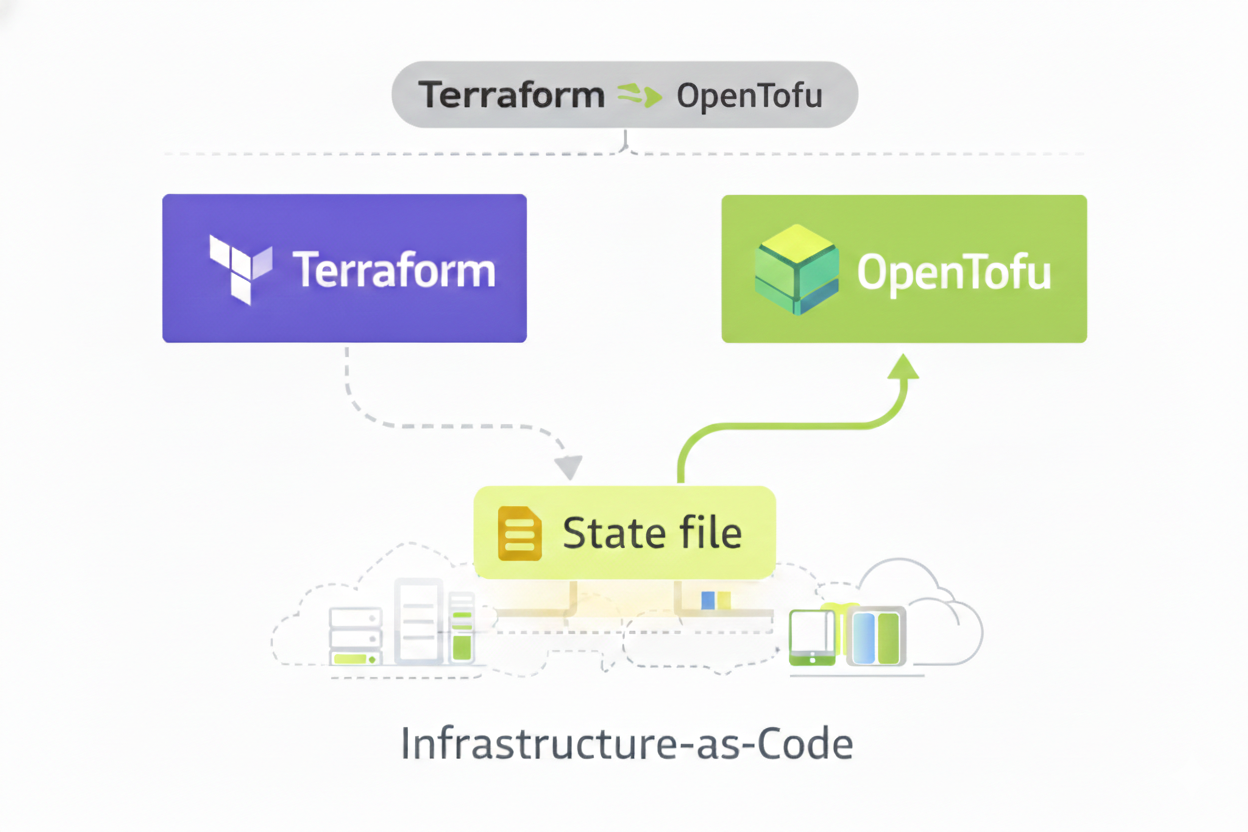
When teams compare Terraform vs OpenTofu, the similarities are immediately apparent.
Both tools rely on declarative configuration, use HashiCorp Configuration Language (HCL), and share the same provider ecosystem. The execution lifecycle (plan, review, and apply) remains unchanged, as does the underlying state file format. Reusable modules, provider integrations, and configuration patterns continue to function without modification.
Because the project was designed with backward compatibility in mind, existing Terraform configurations do not require refactoring. For most teams, this means the comparison does not hinge on syntax or feature gaps. Instead, the OpenTofu vs. Terraform discussion quickly shifts toward operational impact once infrastructure is already provisioned and actively managed.
Why OpenTofu Exists
The project emerged after HashiCorp changed Terraform’s license to the Business Source License (BSL). While Terraform remains widely used, the license change introduced uncertainty for organizations that depend on open-source tooling for long-term commercial use.
The alternative is released under the Mozilla Public License 2.0 (MPL 2.0) and governed by the Linux Foundation. This governance model emphasizes transparent decision-making, open contribution, and predictable licensing terms. For enterprise teams, this reduces concerns around vendor lock-in and future licensing changes that could affect internal platforms.
In the OpenTofu vs. Terraform comparison, licensing is not a daily operational concern, but it strongly influences long-term platform strategy, especially in regulated environments.
Infrastructure as Code Remains the Foundation
Both tools follow the same Infrastructure-as-Code principles.
Infrastructure definitions are declarative, version-controlled, reviewed before execution, and applied through automated workflows. These characteristics support repeatability, auditability, and reliability across environments.
Because compatibility is preserved, existing Infrastructure-as-Code repositories do not need to be restructured. Configuration management practices remain intact, allowing DevOps and platform engineering teams to continue working with established workflows rather than relearning fundamentals.
This continuity is the foundation that makes adoption feasible in large organizations.
What Migration Actually Means in OpenTofu vs. Terraform
In enterprise contexts, migration is often misunderstood.
Migration does not mean rewriting configuration, rebuilding environments, or replacing providers. Instead, it refers to switching the execution engine while preserving everything around it.
Most organizations already operate environments with production-ready controls: access restrictions, approval gates, compliance checks, and audit logging. A valid migration must preserve these guarantees.
In practical terms, migration means existing environments continue to run as they are today, using the same state, the same approvals, and the same operational safeguards.
Migration Path from Terraform to OpenTofu
A realistic migration path includes several non-negotiable characteristics.
Existing environments remain unchanged. The same state file continues to be used. Approval workflows and compliance requirements remain intact. Rollback to Terraform remains possible until a tofu apply is executed. Because OpenTofu may update state metadata, teams should treat the migration of a specific state file as a forward-only move unless they maintain a pre-migration state backup.
Any approach that requires duplicating environments, copying state, or introducing parallel pipelines increases risk and operational complexity. The safest migration path treats the new engine as a drop-in execution replacement, not as a separate system.
This allows organizations to migrate incrementally, environment by environment, rather than through a single disruptive cutover.
State Management in Terraform vs OpenTofu
State management is one of the most sensitive aspects of Infrastructure-as-Code.
Both Terraform and its alternative share the same state file structure, enabling environments to transition execution engines without state conversion. Preserving state continuity is critical for maintaining historical context, enabling reliable drift detection, and supporting disaster recovery processes.
Recreating or duplicating state files introduces avoidable risk and complicates recovery scenarios. In the OpenTofu vs. Terraform discussion, preserving state management continuity is a prerequisite for production readiness.
Operational Impact of OpenTofu vs. Terraform in Large Environments
Enterprise infrastructure rarely consists of a single team or environment. Most organizations manage development, staging, and production environments across multiple cloud providers, often with different ownership boundaries.
At this scale, reliability depends less on tooling choice and more on operational consistency. Predictable execution, stable state handling, and clear change management processes are what keep Infrastructure-as-Code sustainable.
Platform engineering teams evaluate OpenTofu vs. Terraform through this lens. The question is not how infrastructure is defined, but whether existing operational guarantees continue to hold as execution changes underneath.
Running Terraform and OpenTofu Side by Side
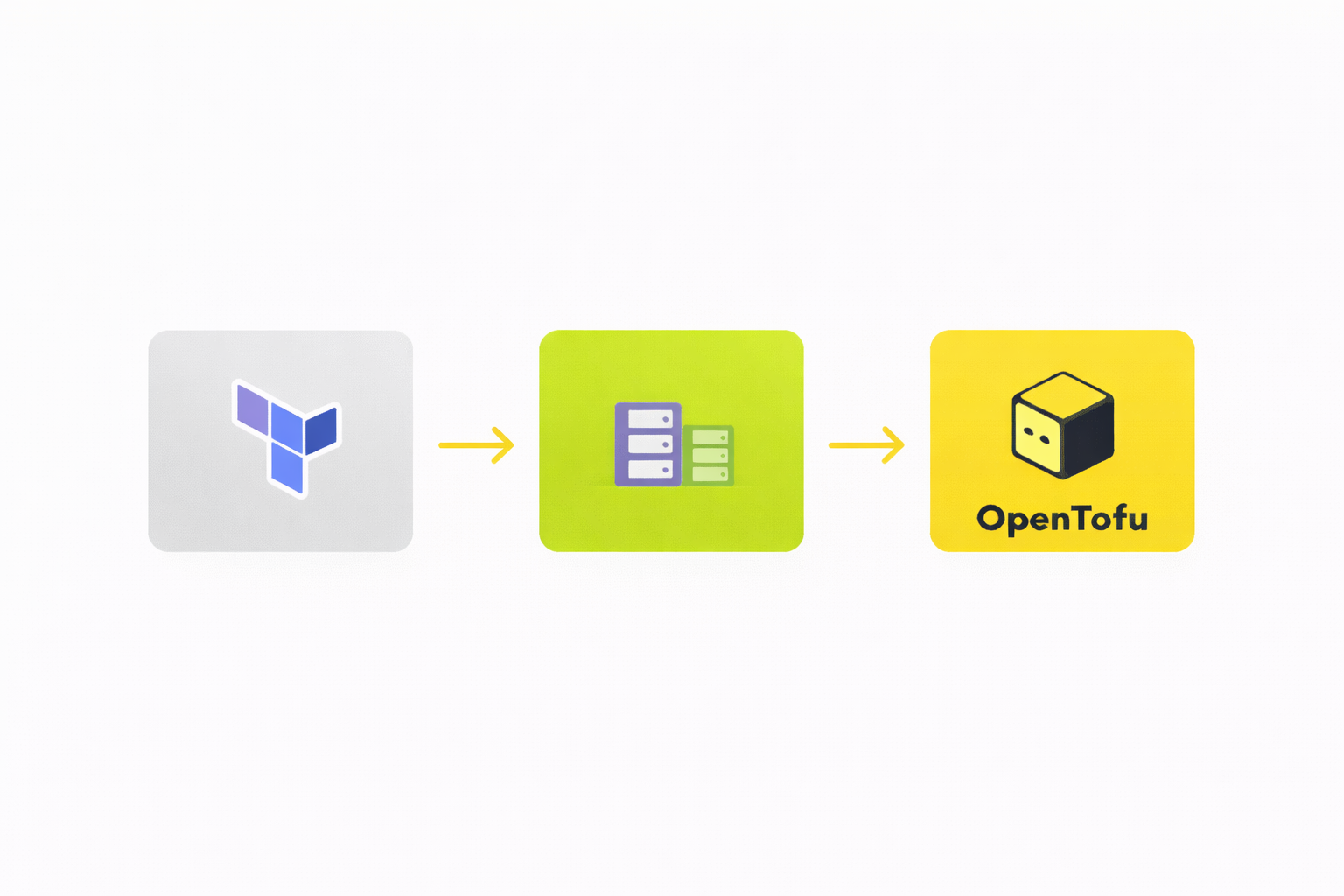
In practice, the decision is rarely all-or-nothing.
Common patterns include legacy environments remaining on Terraform while new environments adopt the alternative, or gradual migration based on risk profile. Temporary coexistence during evaluation is also common.
Supporting these scenarios requires tooling that can manage mixed environments without fragmenting governance, configuration management, or audit trails. env zero enables this model by allowing Terraform and OpenTofu environments to coexist under a single operational framework.
Automating the Terraform to OpenTofu Migration Process
When teams look for tools to automate migration, they are not looking for scripts.
They want to avoid manual cutovers, one-time projects, and irreversible changes. Automation, in this context, means making migration repeatable and low-risk.
With env zero, automation focuses on reusing existing state, preserving environment configuration, maintaining approval workflows, and allowing execution engine selection per environment. This aligns migration with established change management best practices.
Managing Mixed Terraform and OpenTofu Deployments Long Term
Many organizations continue operating mixed environments long after migration begins.
Long-term success depends on unified governance, centralized visibility, consistent approvals, reliable drift detection, and strong audit logging. These requirements apply regardless of which engine executes infrastructure changes.
env zero manages both execution paths under the same governance model, preventing fragmentation and reducing cognitive overhead for platform teams.
IaC Governance Does Not Change with OpenTofu
Governance requirements exist because of organizational scale, not tooling choice.
Enterprise Infrastructure as Code governance typically includes role-based access control, policy as code enforcement, compliance requirements, and structured change management processes.
In OpenTofu vs. Terraform, the key question is whether governance remains engine-agnostic. env zero applies the same controls regardless of execution engine, ensuring consistency across environments.
Related reading: Atlantis for Terraform: A practical guide to PR-driven infrastructure automation. Atlantis works with both Terraform and OpenTofu at the execution layer — relevant if your team uses PR comment-driven plan and apply alongside either engine.
OpenTofu vs Terraform for Platform Engineering Teams
From a platform engineering perspective, this decision is about operability.
Key questions include whether environments can migrate incrementally, whether state continuity is preserved, whether reliability guarantees remain intact, and whether audit logging continues without gaps.
Separating execution engines from operational workflows allows platform teams to adopt the alternative without redesigning their internal platforms.
Reliability, Compliance, and Production Readiness
Production readiness depends on predictable execution, stable state handling, compliance with internal controls, and clear rollback paths.
When adoption does not weaken these properties, it becomes a low-risk evolution rather than a disruptive change. This is where enterprise teams draw the line in the OpenTofu vs. Terraform discussion.
Cloud Providers and Provider Compatibility
Both tools rely on the same provider ecosystem, ensuring compatibility across cloud providers and infrastructure platforms.
Provider compatibility allows organizations to continue managing cloud infrastructure without modifying existing configurations or reusable modules, which is critical for operating at scale.
Best Practices for OpenTofu Adoption
For enterprise teams, proven best practices include migrating environment by environment, preserving state files, maintaining consistent governance, avoiding parallel pipelines, and monitoring drift continuously.
These practices reduce operational risk and support reliable infrastructure automation over time.
Technical Considerations for Enterprise Migration
While OpenTofu is a drop-in replacement, enterprise teams must account for these three technical realities before the first apply:
- The Forward-Only State Rule: OpenTofu is backward compatible with Terraform 1.5.x - 1.6.x. However, once you run tofu apply, the state file may be updated with OpenTofu-specific metadata. Standard Terraform CLI will likely view this state as unsupported. Always perform a state backup before the initial migration.
- Registry Whitelisting: OpenTofu uses registry.opentofu.org to source providers. If your CI/CD runners sit behind a strict firewall or use a private proxy (like Artifactory), you must whitelist this endpoint to avoid Provider Not Found errors during initialization.
- Feature Divergence and Lock-in: OpenTofu v1.7+ introduces features like Native State Encryption and Early Variable Evaluation. While these provide significant security and flexibility advantages, utilizing them makes your configuration incompatible with Terraform. Decide early if you are staying agnostic or moving to Tofu-first features.
Final Thoughts on OpenTofu vs. Terraform
At the configuration level, OpenTofu vs. Terraform is largely settled.
At the operational level, the decision depends on migration safety, state continuity, governance consistency, and long-term reliability.
env zero enables organizations to adopt the alternative while keeping existing Terraform environments stable, governed, and auditable.
That is what makes the OpenTofu vs. Terraform decision practical for enterprise infrastructure teams.
Looking for a broader comparison of IaC tools? Our guide to the best infrastructure as code tools and Terraform alternatives covers Pulumi, Crossplane, Ansible, and more.
Adopt OpenTofu Without Disrupting Existing Terraform Environments
Evaluating OpenTofu vs. Terraform does not have to be a high-risk, all-or-nothing decision.
env zero allows teams to run Terraform and OpenTofu side by side, reuse existing state files, and preserve approvals, audit logging, and governance throughout the migration process. Environments can transition incrementally, without rebuilding infrastructure or introducing parallel workflows.
If you’re exploring OpenTofu and want a practical way to migrate existing Terraform environments safely, env zero provides the control plane to do it without disruption.
To see how env zero supports Terraform and OpenTofu in practice, schedule your personal demo today.
FAQ's
Is OpenTofu a drop-in replacement for Terraform in existing environments?
Yes, OpenTofu is designed to be a drop-in replacement for Terraform, especially for versions up to Terraform 1.5.x–1.6.x. Both tools use the same configuration language (HCL), provider ecosystem, and execution model, which means existing infrastructure code can typically run without modification.
For most organizations, this means there is no need to refactor configurations, rewrite modules, or rebuild environments. The infrastructure definitions, workflows, and deployment processes remain intact, allowing teams to switch the execution engine without disrupting operations.
However, while compatibility is high, teams must still approach migration carefully. Once OpenTofu-specific features are used or state metadata is updated after a tofu apply, reverting back to Terraform may not be straightforward. This makes initial planning and state backup critical.
What does “migration” actually involve when moving from Terraform to OpenTofu?
Migration in this context does not mean rebuilding infrastructure or rewriting code. Instead, it refers to switching the execution engine that runs your existing Infrastructure-as-Code workflows while keeping everything else unchanged.
This includes preserving the same state files, approval workflows, compliance checks, and access controls. A proper migration ensures that infrastructure continues to operate exactly as before, without introducing new risks or inconsistencies.
The safest approach treats OpenTofu as a direct replacement for Terraform’s execution layer. This allows teams to migrate incrementally, environment by environment, rather than performing a risky, large-scale cutover.
How does state management work between Terraform and OpenTofu?
Terraform and OpenTofu share the same state file structure, which is what enables seamless transition between the two tools. This compatibility allows teams to reuse existing state files without needing conversion or duplication.
Maintaining state continuity is critical because the state file tracks the real-world infrastructure and ensures accurate planning, drift detection, and change execution. Any disruption to state can lead to unintended resource changes or loss of infrastructure context.
One important consideration is that after running tofu apply, the state file may be updated with OpenTofu-specific metadata. This makes the migration effectively forward-only unless a backup of the original Terraform state is maintained.
Can Terraform and OpenTofu be used together in the same organization?
Yes, many organizations run Terraform and OpenTofu side by side, especially during migration or evaluation phases. This allows teams to gradually transition environments based on risk, complexity, or business priorities.
For example, legacy or production-critical environments may remain on Terraform initially, while newer or lower-risk environments adopt OpenTofu. This phased approach reduces risk and provides flexibility in decision-making.
However, managing mixed environments requires consistent governance, visibility, and operational control. Without a unified system, teams may face fragmentation in workflows, audit trails, and compliance enforcement.
What should enterprise teams evaluate before adopting OpenTofu?
Enterprise teams should focus less on syntax or features and more on operational impact. Key considerations include whether migration can be done incrementally, whether state continuity is preserved, and whether existing governance and compliance controls remain intact.
Additional technical factors such as registry access (for provider downloads), state backup strategies, and potential feature divergence should also be evaluated. These elements directly impact production stability and long-term maintainability.
Ultimately, the decision should be based on whether OpenTofu can be adopted without weakening reliability, auditability, or control. For most enterprise teams, maintaining these guarantees is more important than the tooling choice itself.
If your evaluation is partly driven by HCP Terraform's pricing changes or the March 2026 free tier end, see The Best Terraform Cloud Alternative in 2026 for the full breakdown of env zero versus HCP Terraform.
Related: env0’s OpenTofu integration gives you policy enforcement, drift detection, and team governance on top of OpenTofu — out of the box.
Further reading: Can OpenTofu Become the HTTP of Infrastructure as Code? — exploring whether OpenTofu can become the universal open standard for IaC.
OpenTofu vs. Terraform: A Practical Guide for Enterprise Infrastructure Teams
.avif)

A Terraform string is just a sequence of characters, but almost everything you write in HCL touches one: resource names, tags, file paths, generated policies, connection strings. Knowing how Terraform builds, combines, and templates strings will save you from some of the more confusing errors you'll hit in a growing configuration.
This guide covers how strings are defined, how interpolation and template directives work, the two multiline syntaxes, and where to go for a deeper look at specific built-in functions.
What is a string in Terraform?
Terraform gives you two ways to write a string literal:
- Quoted strings – text wrapped in double quotes, e.g.
"us-east-1" - Heredoc strings – a multiline block bounded by a marker of your choosing, covered below
Quoted strings support a set of backslash escape sequences:
Two additional escapes don't use a backslash at all, and matter once you start interpolating: $${ produces a literal ${ instead of starting an interpolation, and %%{ produces a literal %{ instead of starting a directive. You'll want the first one any time a string needs to contain a literal dollar-brace sequence, for example when generating a shell script that itself uses variable expansion.
String interpolation in Terraform
Interpolation is how you drop a dynamic value into a string using ${ ... }. Terraform evaluates whatever is between the braces and converts it to a string if needed.
The expression inside ${ } can be a variable reference, an attribute reference, a function call, or a simple arithmetic expression:
If you need a literal ${var.name} in your output, rather than an interpolation, escape it with an extra dollar sign: $${var.name}.
env zero note: env zero's Environment Outputs feature borrows this same pattern to reference a value from a different environment: ${env0::}. Add a variable of type Environment Output, point it at another environment's output name, and env zero resolves the value at run time, no manual copy-paste or API calls between environments required. Right now only string-type outputs are supported, which lines up neatly with everything else in this guide, if the value you need is a list or map, you'll need to reference it a different way.Template directives: conditionals and loops inside a string
Interpolation isn't the only template sequence Terraform supports. A %{ ... } sequence is a directive, and it lets you branch or iterate inside a string, something most string-focused guides skip entirely.
The if / else / endif directive chooses between two outputs based on a boolean expression:
The for / endfor directive iterates over a list or map and concatenates the result of a template for each element. This is commonly used inside a heredoc to build a multiline block from a list variable:
The ~ immediately after for and before endfor is a whitespace strip marker. Without it, each directive line leaves behind its own newline and you end up with blank lines between entries. With it, only the newline that belongs to the generated content (the server ... line) survives.
Multiline strings in Terraform
For anything longer than a single line, Terraform uses heredoc syntax: an opening marker (<< or <<-, plus an identifier you choose), the content, and that same identifier alone on its own closing line.
Skip the heredoc for JSON and YAML. It's tempting to hand-write a JSON policy like the one above inside a heredoc, but a single missing comma will fail at apply time with a confusing error. Use jsonencode() or yamlencode() instead, and let Terraform guarantee valid syntax:
Indented heredocs
A standard heredoc treats every space as literal, which forces the closing marker (and every line of content) flush to the left margin, awkward when the block sits inside a nested resource. Add a hyphen, <<-EOT, and Terraform finds the line with the smallest number of leading spaces, then trims that many spaces from every line:
That produces a string with no leading indentation on the first and third lines, and the second line's extra two spaces preserved relative to the others, letting you indent the whole block to match your code without indenting the actual output.
One more difference from quoted strings: backslash characters inside a heredoc are not treated as escape sequences, they're literal. The only two special sequences that still work are $${ and %%{.
Terraform string functions
HCL ships a full library of built-in string functions. Here are the ones you'll reach for most:
FunctionWhat it doesformat()Printf-style templating, e.g. format("%s-%02d", "web", 3)join() / split()Combine a list into a string, or divide a string into a listreplace()Substring find-and-replaceregex() / regexall()Pattern matching and extractionupper() / lower()Case conversiontrim() / trimspace() / trimprefix() / trimsuffix()Strip characters or whitespace from a stringsubstr()Extract part of a string by offset and lengthstartswith() / endswith() / strcontains()Boolean checks on string contentbase64encode() / base64decode()Base64 conversion, common for cloud-init user datatostring()Explicit conversion to string type
A couple of these in practice, building a consistent, lowercase resource name and cleaning up a variable that might carry stray whitespace:
For the full function-by-function reference across every category, not just strings, see env zero's Terraform Functions Guide and Terraform Map Variable guide for the collection-type equivalents like merge() and optional(). And if split() and join() are what brought you here, they get a full treatment, syntax, alternatives, and worked examples, in Terraform Split and Join Functions: Examples and Best Practices.
How to concatenate strings in Terraform
Three ways to combine strings, and when each one fits:
- Interpolation (
${}) – simplest option for combining a small, fixed number of values:"${var.first}-${var.second}" join()– the right choice when you're combining a list of unknown length, e.g. all the subnet IDs in a VPCformat()– best when you need precise control over layout, padding, or multiple substitutions in a fixed template
If you're splitting a delimited string apart specifically so you can loop over the pieces, pair split() with for_each, a common combination for turning one input variable into several resources.
Managing Terraform strings with env zero
Most of what goes wrong with Terraform strings in a team setting isn't the syntax, it's keeping values consistent, secret, and correctly typed across environments. env zero's variable management is built around that:
- String is the default variable type. Plain text is the most common Terraform Variable value type in env zero, and clicking Load Variables From Code pulls your string-type input variables straight from your
.tffiles at their default values. Complex types (lists, maps, objects) are supported too, entered as HCL or JSON. - Sensitive values stay masked. Rather than interpolating a credential or token directly into a string in your configuration, mark the variable as sensitive. Its value is masked in the UI after saving, so secrets don't end up sitting in plain text where anyone with template access can read them.
- Environment Outputs use string interpolation to cross environment boundaries. As noted above,
${env0::}lets one environment consume another's output value, string outputs only, for now. - Watch your quoting when setting variables via
TF_VAR_*. If you're passing a list or map value through an environment variable instead of the UI, env zero needs a properly formatted string, e.g.export TF_VAR_myvar='["a","b"]', and a missingtypefield on the variable is a common cause of format errors. See Handling Common Errors for the full breakdown.
Key points
Terraform strings can be written as quoted literals or heredocs, and both support ${} interpolation for dropping in dynamic values. Heredocs add multiline support, with an indented <<- variant for keeping code readable, and %{} directives add conditionals and loops that most references skip over. Built-in functions cover everything from case conversion to regex extraction, and env zero's variable management extends the same interpolation pattern across environments, without you needing to hardcode a secret to do it.
Frequently Asked Questions
Q. What is a string in Terraform?
A sequence of characters used to represent text, defined either as a quoted literal in double quotes or as a heredoc for multiline content. Both support interpolation.
Q. What's the difference between a quoted string and a heredoc?
Quoted strings are single-line and support backslash escape sequences like \n and \t. Heredocs span multiple lines, don't process backslash escapes, and are better suited to longer blocks like policy documents or config files.
Q. Can I use an if-statement inside a Terraform string?
Yes, using a %{ if } / %{ else } / %{ endif } directive inside a quoted or heredoc string. It's a template directive, distinct from interpolation, and works alongside a %{ for } directive for loops.
Q. How do I stop a heredoc from picking up unwanted indentation?
Use the indented form, <<-EOT instead of <. Terraform trims the smallest common leading whitespace from every line.
Q. Should I build a JSON string with a heredoc?
Generally no. Use jsonencode() (or yamlencode() for YAML) so Terraform validates the structure for you instead of relying on hand-typed brackets and commas.
Q. How do I concatenate strings in Terraform?
Use ${} interpolation for a small fixed number of values, join() for a list of unknown length, or format() when you need precise control over the output layout.
Terraform Strings: Interpolation, Heredoc & Built-In Functions

Terraform state doesn't stay put forever. Teams outgrow local state files, consolidate multiple backends into one, switch cloud providers, or decide it's time to move off a platform that's no longer working for them - HCP Terraform's free tier ending and its resource-based pricing is a common trigger these days. Whatever the reason, the state file itself is the part everyone's afraid to touch, because it's the only record of what Terraform thinks your infrastructure actually is.
The good news: Terraform has built-in tooling for this, and it's more forgiving than it looks once you understand which command does what. This guide covers the core migration methods and worked examples for the most common backend swaps, plus the specific paths for moving state into and out of env zero.
Why teams migrate state in the first place
A few scenarios come up repeatedly:
- Moving off local state. Local
terraform.tfstatefiles don't support locking or team access, so this is usually the first migration a growing team makes. - Switching cloud providers or regions. An S3 bucket in the wrong region, or a move from AWS to Azure, means the backend needs to move too.
- Consolidating state storage. Multiple teams standardizing on one backend, one bucket structure, or one access-control model.
- Leaving a platform behind. Cost, feature gaps, or workflow friction with a current remote-operations platform - migrating off Terraform Cloud is the version of this we see most often.
Each of these is a backend migration at the mechanical level, you're telling Terraform "the state lives somewhere new now," and asking it to either move the data or just start reading from the new location.
-reconfigure vs -migrate-state: know which one you need
Both flags apply when you change a backend block and run terraform init again. They do different things, and picking the wrong one is the single most common way people scare themselves during a migration:
terraform init -migrate-statecopies your existing state into the new backend. Use this when you want continuity - the new backend should end up with the same state your old one had.terraform init -reconfigureignores any existing state at the new location and just starts fresh with the new backend configuration. Use this when you're intentionally not carrying state over - for example, pointing at a backend that already has the correct state in it.
If you run -reconfigure when you meant -migrate-state, Terraform will think your infrastructure doesn't exist yet and may try to recreate it. Always default to -migrate-state unless you have a specific reason not to.
Method 1: terraform init -migrate-state
This is the standard path for most backend-to-backend moves. The pattern is the same regardless of which backend you're moving to:
- Update the
backendblock in your configuration to point at the new location. - Run
terraform init -migrate-stateand confirm the prompt. - Run
terraform plan— you should see no changes, or only trivial ones. Anything more than that means something in the migration didn't line up.
Local to Amazon S3:
//hcl

terraform {
  backend "s3" {
    bucket = "my-org-tfstate"
    key    = "prod/terraform.tfstate"
    region = "us-east-1"
  }
}
After adding this and running terraform init -migrate-state, Terraform detects the backend change, copies your local state into the S3 bucket, and confirms the new backend is active. From that point on, terraform plan reads from S3.
Local to Azure Storage Account:
//hcl

terraform {
  backend "azurerm" {
    resource_group_name  = "tfstate-rg"
    storage_account_name = "myorgtfstate"
    container_name       = "tfstate"
    key                  = "prod.terraform.tfstate"
  }
}Same flow: the storage account and container need to exist first (with the right access permissions for whoever's running init), then terraform init -migrate-state handles the copy.
Method 2: manual state pull / state push
Sometimes you can't rely on -migrate-state — the target backend doesn't exist as Terraform-managed config yet, or you need to inspect and edit the state before it lands somewhere new. In that case:
terraform state pull > backup.tfstateUpdate the backend configuration, run terraform init (with -reconfigure if the new backend has no state of its own yet), then push the state you pulled:
terraform state push backup.tfstateThis is also the safety net for any migration - always pull a backup before you touch the backend block, regardless of which method you're using.
Reversing direction: remote back to local
Migrations aren't always toward more centralization. Dropping back to local state - for a small project, a one-off environment, or a deliberate architecture change — works the same way in reverse:
terraform state pull > terraform.tfstateRemove the backend block entirely (an unconfigured backend defaults to local), then run terraform init -migrate-state again. Terraform copies the remote state down into a local file and you're back to terraform.tfstate living next to your configuration.
If you're using Terragrunt
Terragrunt wraps this same Terraform mechanism but manages it per-unit via remote_state blocks, as covered in our Terragrunt tutorial. Two commands matter here:
terragrunt backend bootstrap— creates the backend resources (bucket, table, etc.) if they don't exist yet.terragrunt backend migrate old-unit new-unit— moves state between two Terragrunt-managed units.
If you're migrating many workspaces at once, Terragrunt's per-unit structure makes it easier to script the process across all of them rather than repeating the manual steps unit by unit.
Migrating into env zero
Everything above is backend-agnostic, it works whether the destination is env zero or anything else. But if env zero is the destination, there's a more direct path, and which one to use depends on where you're coming from.
env zero supports a few different ways of storing state depending on your setup (covered in more detail here) which affects what "moving state into env zero" actually means for you: bringing your existing external backend along unchanged, or pointing your environment at env zero's own remote backend.
Coming from Terraform Cloud or Terraform Enterprise
This is the most common migration path into env zero, and there's a dedicated tool for it: the env zero Migration Wizard, found under Organization Settings → Migration. Rather than rebuilding your Terraform Cloud or Terraform Enterprise setup by hand, the wizard connects to your organization with a read-only API token, scans your existing workspaces, and recreates them as env zero environments - carrying over variables, variable sets, VCS configuration, project hierarchy, and state in the process. For organizations with many workspaces, it supports a staged migration: move a handful of workspaces first, validate them in env zero, then continue migrating the rest whenever you're ready. A final go-live step locks the source Terraform Cloud/Enterprise workspaces and activates the corresponding env zero environments, so there's no window where both platforms are trying to run deployments at once.
A few things the wizard doesn't carry over automatically, worth planning for post-migration: private module registry contents, Sentinel/OPA policy definitions, run triggers and workspace dependencies, team permissions and RBAC, notification integrations (Slack, email), and SSH keys for repository access. These are all quick to reconfigure directly in env zero once your environments are in place.
This is also the migration path Elevate took after running into concurrency limits and unpredictable resource-based pricing as their infrastructure scaled. Paul Trout, Sr. Cloud Architect at Elevate, described migration as "a very scary word, especially when it's the core piece of infrastructure that drives your production releases" - but with env zero's migration tooling, the team completed the switch, alongside a parallel move from Terraform to OpenTofu, within a few weeks.
If you'd rather migrate one workspace at a time, manually, the process uses Terraform's native cloud block rather than a backend block, since that's what TFC/TFE-style remote state expects:
//hcl

terraform {
  cloud {
    hostname     = "backend.api.env0.com"
    organization = "<YOUR_ORGANIZATION_ID>.<YOUR_PROJECT_ID>"
    workspaces {
      name = "my-prod-resource"
    }
  }
}The manual path in short:
- Add a
TF_TOKEN_app_terraform_io(orTF_TOKEN_your_tfe_hostfor a custom hostname) environment variable with your TFC/TFE token, at the organization or project level if you're doing this for more than one workspace. - Add
ENV0_SKIP_WORKSPACE=true— without it, env zero will error on workspace names it doesn't recognize when a TFC/TFE-style remote backend is in play. - In env zero, set the environment's Workspace Name to match your existing TFC/TFE workspace name exactly (the name, not the
ws-ID). Don't enable "Use env zero remote Backend" yet. - Run the environment. You should see no changes — this confirms env zero is reading the same state TFC/TFE already had.
- Now go to Environment → Settings, check "Use env zero remote Backend", and save.
- Redeploy. Terraform will report the backend configuration changed and ask to migrate state — confirm, and env zero takes over as the backend from here.
- Optional cleanup: remove the
TF_TOKEN_*variable and anyTF_CLI_ARGS_inityou added for the transition, and drop thecloudblock from your config if you don't need the remote-plan features it enables.
Coming from a self-managed backend (S3, Azure, GCS, etc.)
If your state already lives in a backend you manage yourself, you have a choice: keep using it exactly as-is (env zero doesn't require you to move state storage at all), or move it into env zero's own remote backend. To move it:
//hcl

terraform {
  cloud {
    hostname     = "backend.api.env0.com"
    organization = "<YOUR_ORGANIZATION_ID>.<YOUR_PROJECT_ID>"
    workspaces {
      name = "<YOUR_WORKSPACE_NAME>"
    }
  }
}
Running terraform init -migrate-state against this configuration triggers the standard Terraform migration flow — it'll report it's migrating from your existing backend to the cloud backend and ask for confirmation. Say yes, and env zero automatically detects the incoming state and creates a matching environment for you, named after your workspace. From there, just double-check the VCS details point at your actual repository rather than a placeholder.
If you're coming from Atlantis specifically, there's a dedicated walkthrough that covers the same remote-backend approach in that context.
Migrating state out of env zero
The reverse works the same way any backend-to-backend migration does: remove env zero's backend configuration, add the backend block for wherever you're moving to, and run terraform init -migrate-state. Confirm with terraform plan that nothing unexpected shows up, and if needed, terraform state push backup.tfstate to be explicit about it. Once the state's confirmed in its new home, the env zero environment can be marked inactive.
FAQ
Do I need to migrate state and workspaces at the same time?
Not necessarily - you can migrate state independently of workspace configuration, but if you're moving away from TFC/TFE, the Migration Wizard handles both together and is less error-prone than doing each by hand.
What happens if terraform plan shows changes right after a migration?
Stop and investigate before applying anything. A clean migration should show no changes (or only cosmetic ones like formatting). Unexpected changes usually mean a resource address, provider version, or variable value doesn't match between the old and new setup.
Can I use my own S3 or Azure backend and still get env zero's other features?
Yes, env zero's own remote backend is optional. Environments can keep using an externally managed backend while still getting env zero's governance, cost visibility, and drift detection on top.
Is the Migration Wizard safe to run against production workspaces?
The wizard is designed for exactly that use case, including a staged rollout so you can validate before cutting production traffic over. The standard precautions still apply: pull a state backup first, and verify with terraform plan before treating the migration as complete.
For more on state fundamentals (locking, drift, and the structure of the state file itself) see our guide to the Terraform state file and Terraform best practices for state management.
How to Migrate Terraform State Between Backends

Today we're launching the env zero Free Tier, a free-forever plan that gives platform teams the full env zero orchestration experience rather than a locked-down demo of it. If you've been waiting for a way to try real IaC orchestration on your own terms, this is your front door.
Why we built the env zero Free Tier
Platform engineering is a bottom-up discipline. You don't adopt a new IaC platform because someone signed a contract. You adopt it because you spun it up on a Friday, pointed it at a repo, and saw it solve the orchestration and self-service problems you live with every day.
For too long, trying env zero meant talking to us first, and that's the wrong answer to "I just want to see if this works for my team." So we changed it. The Free Tier is self-serve from the first click. Create an org, connect your VCS, and run.
With the IaC landscape shifting and long-standing free options disappearing, a lot of teams are re-evaluating how they orchestrate Terraform and OpenTofu right now. We wanted env zero to be the obvious place to land. We looked hard at the competitive landscape and sought to include a feature and entitlements set that would make env zero the superior option.
Who it's for
The Free Tier is built for the platform engineer standing up self-service infrastructure for their org, whether that's a solo practitioner proving out a workflow or a small platform team giving developers a paved road to deploy on.
It's a fit if you want to:
- Give your developers self-service environments without handing them the keys to production
- Run drift detection against your live infrastructure so state surprises stop being surprises
- Wire in SSO and bring your whole team in from day one, not just yourself and one teammate
- Orchestrate Terraform and OpenTofu with real guardrails, before you've had a single procurement conversation
What you get
The Free Tier ships with the complete env zero Navigator feature set. We took the position early that a paying customer should never receive less than a free user does, so instead of carving out a feature-limited "lite" plan, we gave the free tier the full product and set generous usage limits around it.
A few things worth spelling out for the way platform teams actually work:
A "run" is an outcome. One run equals one successful apply or one drift detection. Plans and failed runs don't burn your monthly allowance, so you're only metered on work that actually happened.
Unlimited users, including agents. There's no per-seat gate and no "invite two people, then pay." Bring your whole platform team and your automation. As IaC pipelines increasingly include non-human actors, we didn't want a seat cap to be the thing that boxed you in.
Drift detection and SSO are included. These are the capabilities teams usually have to upgrade to reach elsewhere. On env zero they're part of the free experience, because they're part of running infrastructure responsibly.
Where the limits are, and what's next
The Free Tier is designed to run real workloads, not just a hello-world. The two dials that define it are 250 runs per month and 30 environments. When your team consistently pushes past those, that's the natural signal you've outgrown free. Our paid tiers, Cloud Navigator and Cloud Pilot, lift those ceilings and add direct support and more advanced capabilities as you scale.
There's no downgrade trap and no bait-and-switch. Free stays free, and the path up is there when you need it and not before.
Get started
You can be deploying in minutes:
- Sign up for env zero. Every new self-serve account lands on the Free Tier automatically.
- Connect your VCS and point env zero at an IaC repo.
- Run your first deployment, turn on drift detection, and invite your team.
No trial countdown. No credit card. No gatekeeper.
FAQ
Is it really free forever? Yes. The Free Tier is $0 in perpetuity. It isn't a promotional rate or a countdown to a paid plan.
Is there a trial? Do I need a credit card? No trial and no credit card. Every new self-serve account lands directly on the Free Tier, so you start on Free from your very first login and stay there. There's no trial period to expire and nothing that quietly downgrades on you later.
What counts as a run? A run is one successful apply or one drift detection. Plans and failed runs don't count against your monthly total, so you're only ever metered on work that completed.
What happens when I hit 250 runs or 30 environments? Those are the two limits that define the Free Tier. When you reach a cap, env zero lets you know and shows you the path to more capacity through Cloud Navigator or Cloud Pilot. Your existing environments and configuration stay intact.
Do I get fewer features on Free than on a paid plan? No. The Free Tier includes the complete Navigator feature set, drift detection and OIDC SSO included. The paid tiers raise your usage limits and add direct support and more advanced capabilities as you scale, rather than unlocking basic functionality.
Can I add my whole team? Yes. Deploying users are unlimited on Free, both human teammates and automation or agents. There's no per-seat charge.
What support is included? Free Tier comes with community support. Direct support is part of the Cloud Navigator and Cloud Pilot tiers. Paid support plans are available for Free Tier users, simply Contact Us.
How do I upgrade when I outgrow Free? When your team consistently pushes past the run or environment limits, you can move up to Cloud Navigator or Cloud Pilot for higher ceilings, direct support, and additional capabilities. Your work carries over.
Introducing the env zero Free Tier: full-featured IaC orchestration, free forever